Free & Open Source

Write SQL, fix errors, connect AI agents
under 15 MB.

Natural-language SQL, one-click error diagnosis, EXPLAIN analysis, cross-database workflows, and a built-in MCP server — all in one lightweight desktop app.

Free · Open source · No account · BYO AI provider · macOS / Windows / Linux

DataZen
Works with PostgreSQL MySQL SQLite Redis MongoDB ClickHouse + optional and external drivers
What you can do

Four ways DataZen speeds up your database work

WriteNatural-language SQL · schema-aware suggestions
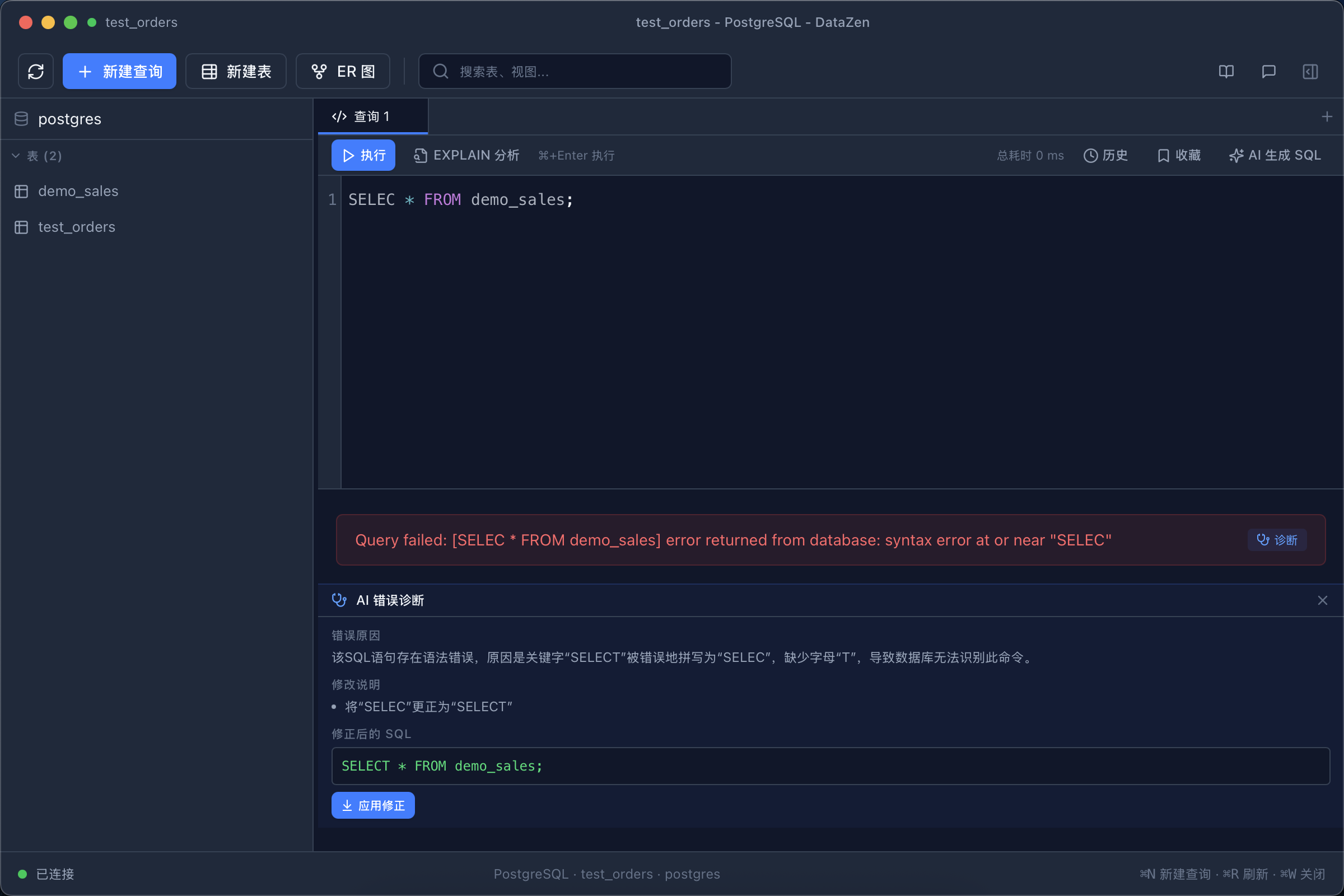
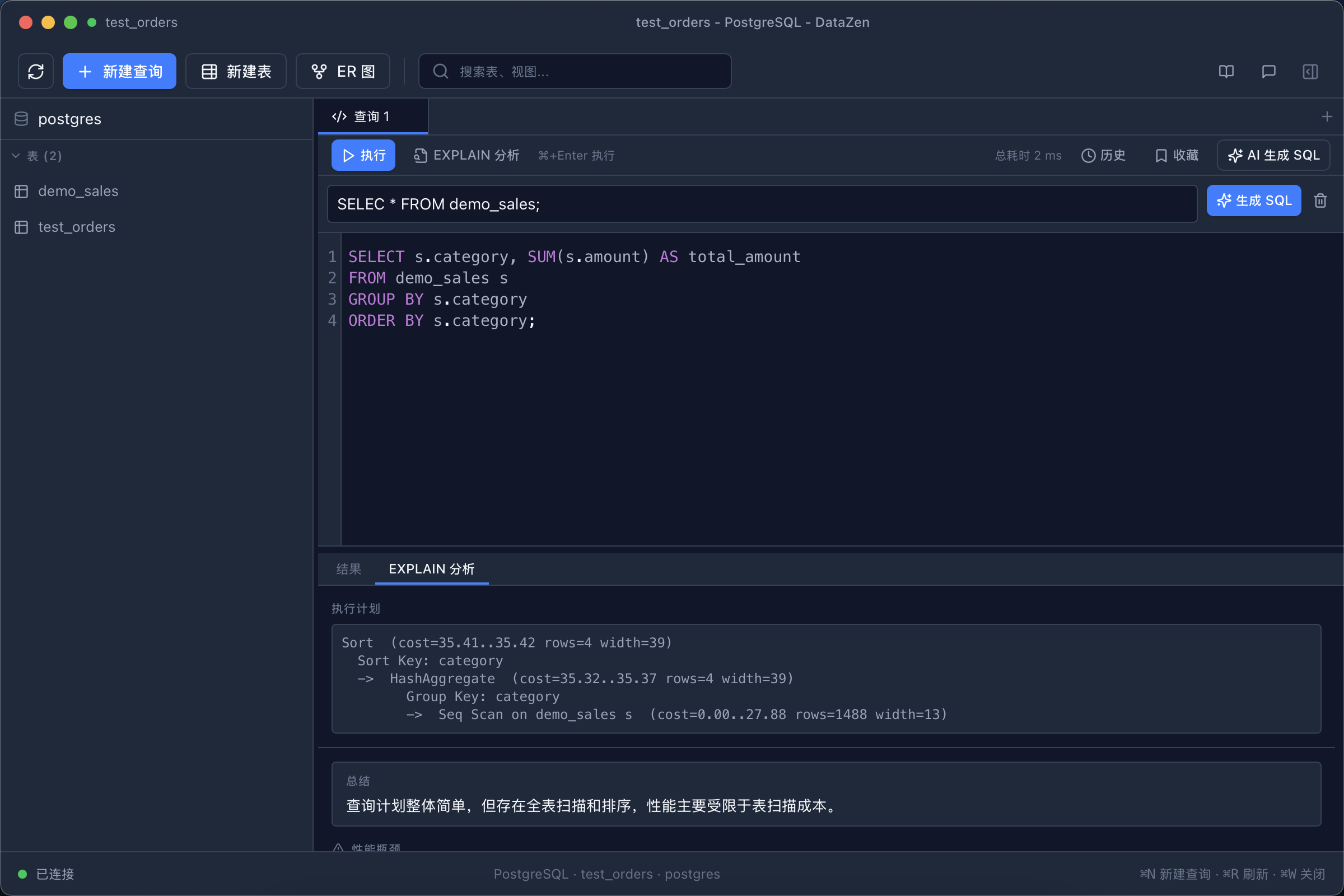
FixAI diagnosis · EXPLAIN analysis · safe editing
SeeCharts · ER diagrams · Redis introspection
AutomateWorkflows · dashboards · MCP server
The core difference

AI that works inside the database loop

Not a chatbot bolted onto a grid. AI receives real schema and error context, then hands useful results back to the editor, chart, workflow, or agent.

Who it's for

Built for developers who work with databases every day

Primary

Backend & full-stack developers

SQL editor, EXPLAIN analysis, schema browsing, ER diagrams, backups — the daily driver for real database work.

Secondary

AI-assisted developers

NL2SQL, chat sidebar, and an MCP server that plugs your databases into Claude, Cursor and other agents.

Also great

Data-oriented technical users

Explore tables, chart any result set, and automate recurring reports — without leaving your desktop.

Try it in 30 seconds

Download, connect a database, write your first AI-powered query — no signup required.

Download DataZen — Free
MCP Server & Client

Give your AI agents access to your databases

DataZen ships with a built-in MCP server: expose queries, schema inspection, EXPLAIN and even whole workflows as tools for the agents you already use.

  • Works with Claude Desktop, Cursor, Cline and any MCP-compatible client
  • Doubles as an MCP client — connect external MCP servers inside DataZen
  • Headless mode (--mcp-stdio) for servers, scripts and CI
  • Your credentials stay in the OS keychain — agents never see them raw
Learn about MCP →
Claude / Cursor / AI Agentasks in natural language
MCPModel Context Protocol
DataZentools · schemas · workflows
PostgreSQL · MySQL · Redis · MongoDB …your existing databases
Workflows

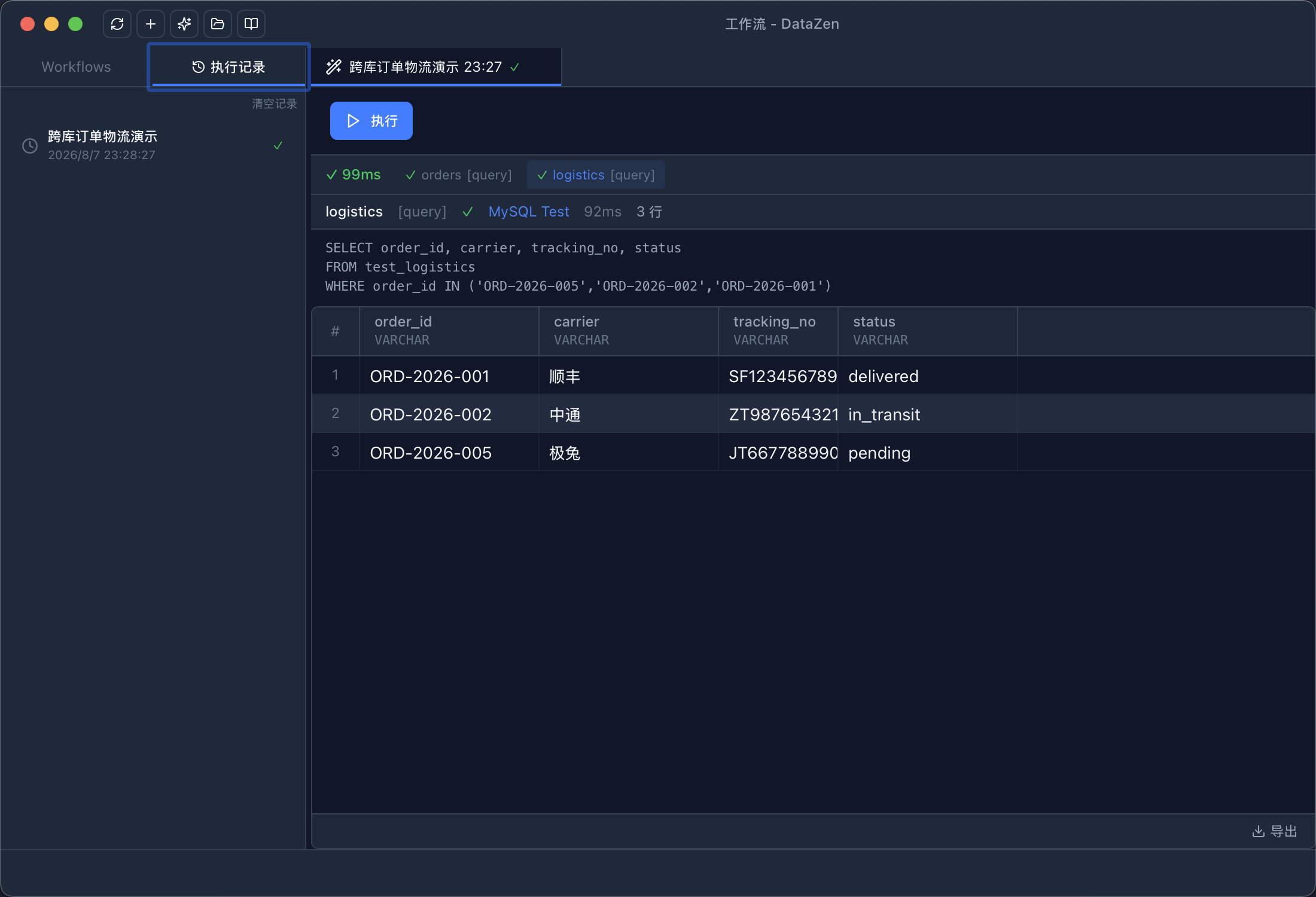
Turn repetitive database work into one reusable flow

Generate a daily sales report automatically:

PostgreSQLquery today's orders
MySQLjoin customer data
AIsummarize findings
Reportexported & ready to share

Queries, AI steps, conditions and loops — explore Workflows →

Charts

Query → chart → insight

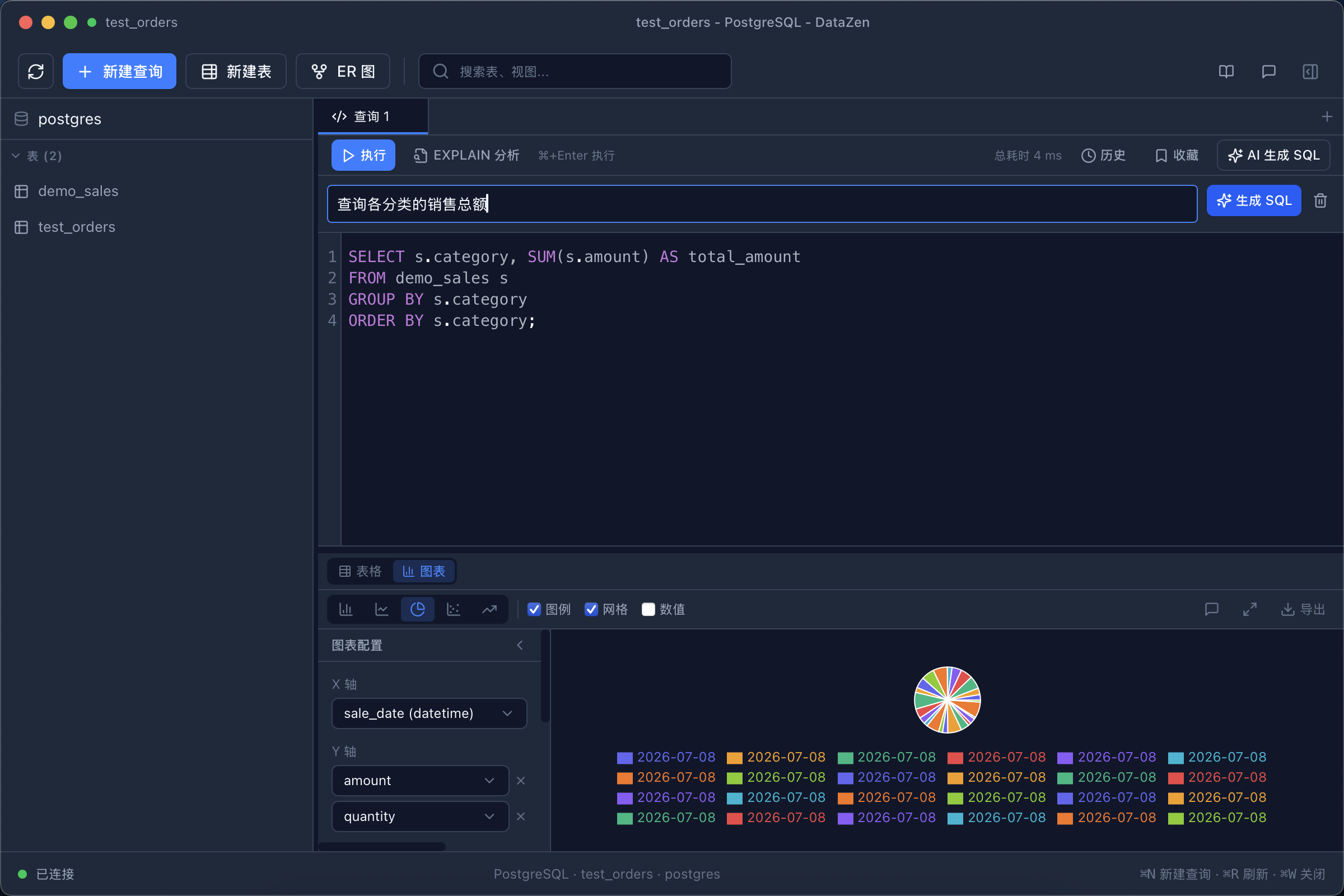
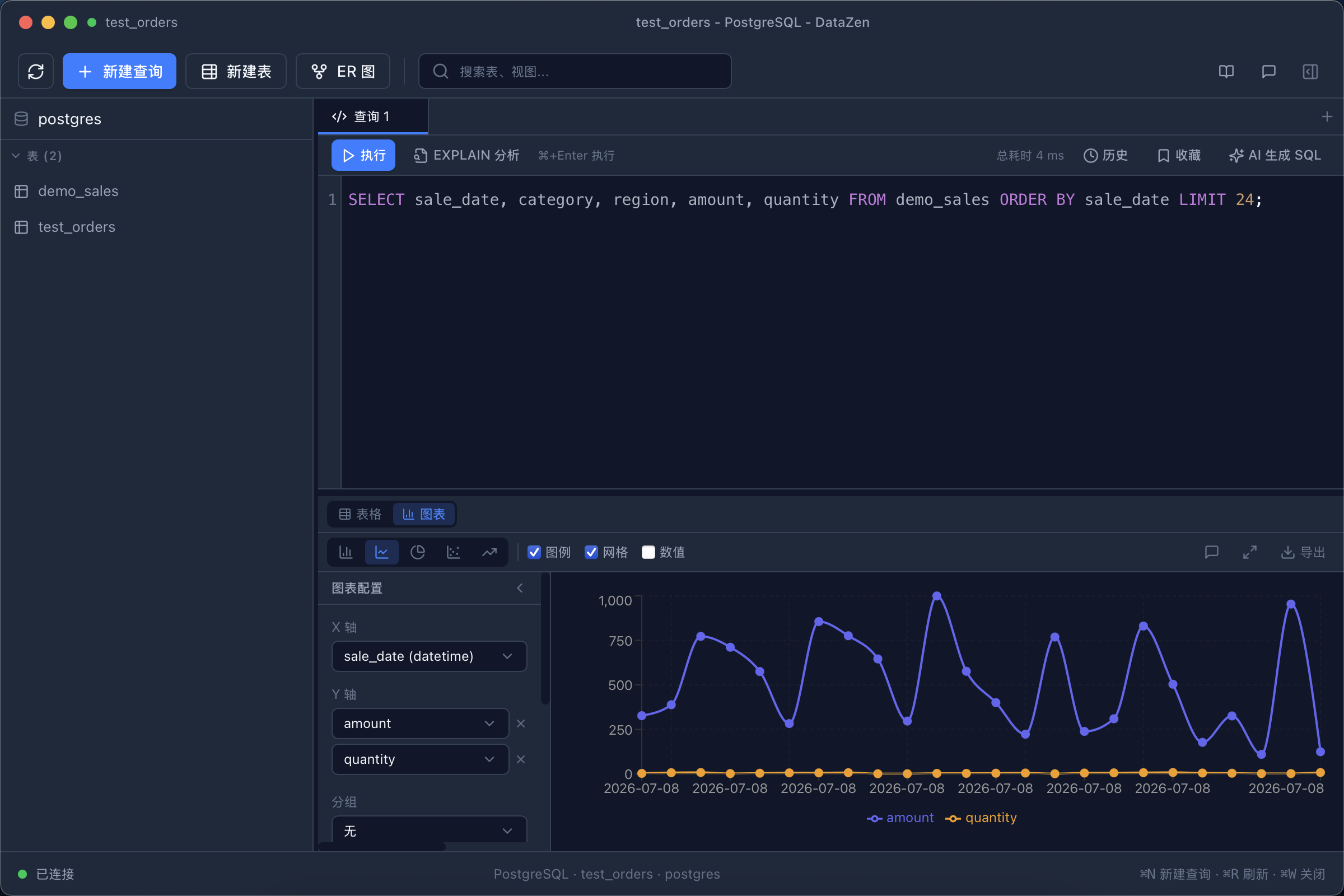
Every result set becomes a chart in one click. Smart recommendations pick line, bar, pie, scatter or area based on your data — export PNG / SVG when it looks right.

  • No chart builder to learn — it just renders your result
  • Type hints from column names and value ranges
  • Pairs perfectly with NL2SQL: ask, run, see the trend
Explore charts →
Charted query results
Why DataZen

Lightweight, private and open by design

Under 15 MB

Tiny installer, near-instant startup — far lighter than typical heavy clients.

Your data stays local

DataZen operates no cloud database service. Credentials are AES-encrypted in the OS keychain.

Bring your own AI provider

OpenAI, Anthropic, DeepSeek or a custom endpoint — you choose exactly where requests go.

No account required

Download, install, connect. Nothing to sign up for, nothing phoning home.

Extensible drivers

PostgreSQL, MySQL, SQLite, Redis built in. Add OLAP and specialty engines via plugins.

Free & open source

Licensed under GPLv3 — audit the full source on GitHub at any time.

Security

Your database. Your credentials. Your AI provider.

The question every AI database tool must answer honestly: where does my data go?

  • Bring your own AI provider and keep provider access under your control
  • Passwords are AES-256-GCM encrypted; the master key lives in your OS keychain
  • Only schema and query context are shared with AI — and only with the provider you configure
  • Fully auditable: the complete source code is on GitHub under GPLv3
Your databasefull data — stays on your machine
DataZenlocal desktop app
sends only schema / query context ↓
Your chosen AI providerOpenAI · Anthropic · DeepSeek · Custom endpoint
Gallery

A look inside

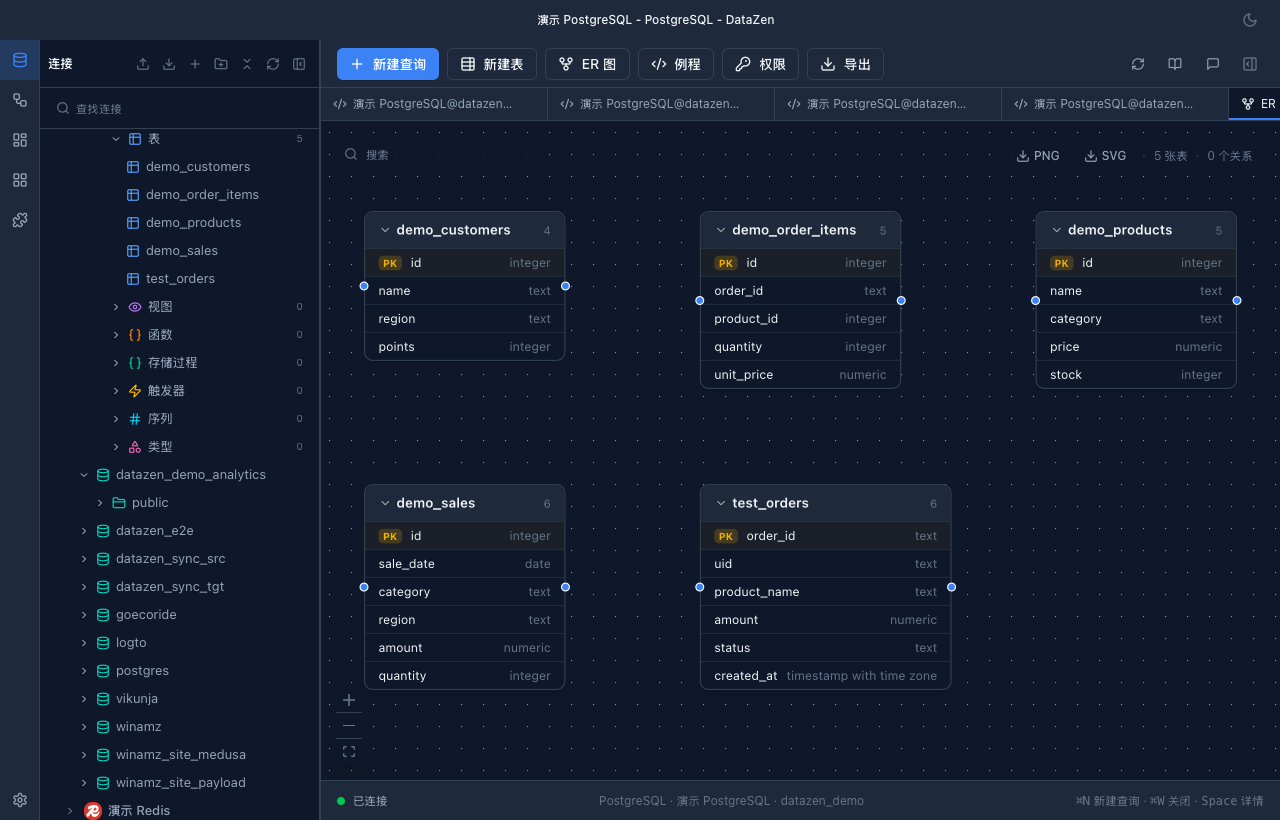
Natural-language SQL generation SQL error diagnosed by AI EXPLAIN plan analyzed by AI Query results charted Cross-database workflow ER diagram with foreign-key relations
Frequently asked questions

DataZen at a glance

What is DataZen?

A free, open-source desktop database workspace with AI-assisted querying, analysis, visualization, automation, and MCP integration.

Which databases are supported?

PostgreSQL, MySQL/MariaDB, SQLite, and Redis are included by default, with optional drivers for MongoDB, ClickHouse, DuckDB, SQL Server, and more.

Does data leave my device?

AI requests go only to the provider and endpoint you configure.

Can AI agents use it?

Yes. DataZen works as both an MCP server for external agents and an MCP client for bringing external tools into AI Chat.

Is it really free?

Yes. DataZen is GPLv3-licensed, requires no DataZen account, and provides builds for macOS, Windows, and Linux.

What makes it different?

AI receives real database context, while charts and reusable cross-database workflows remain inside the same lightweight desktop app.

One workspace for the database work that follows every query

Download free, connect a database, and move from your first query to a repeatable workflow in minutes.

Download DataZen — Free

No account · Open source · Bring your own provider

Latest release · Changelog · User manual