1. Installation
DataZen is a free, open-source (GPLv3) cross-platform desktop database client built with Tauri v2 + Rust. No account required.
| Platform | Package |
|---|---|
| macOS Apple Silicon / Intel | .dmg |
| Windows x64 | NSIS .exe / portable .zip |
| Linux x86_64 | .deb / .rpm / .AppImage |
- Download the package for your platform from GitHub Releases.
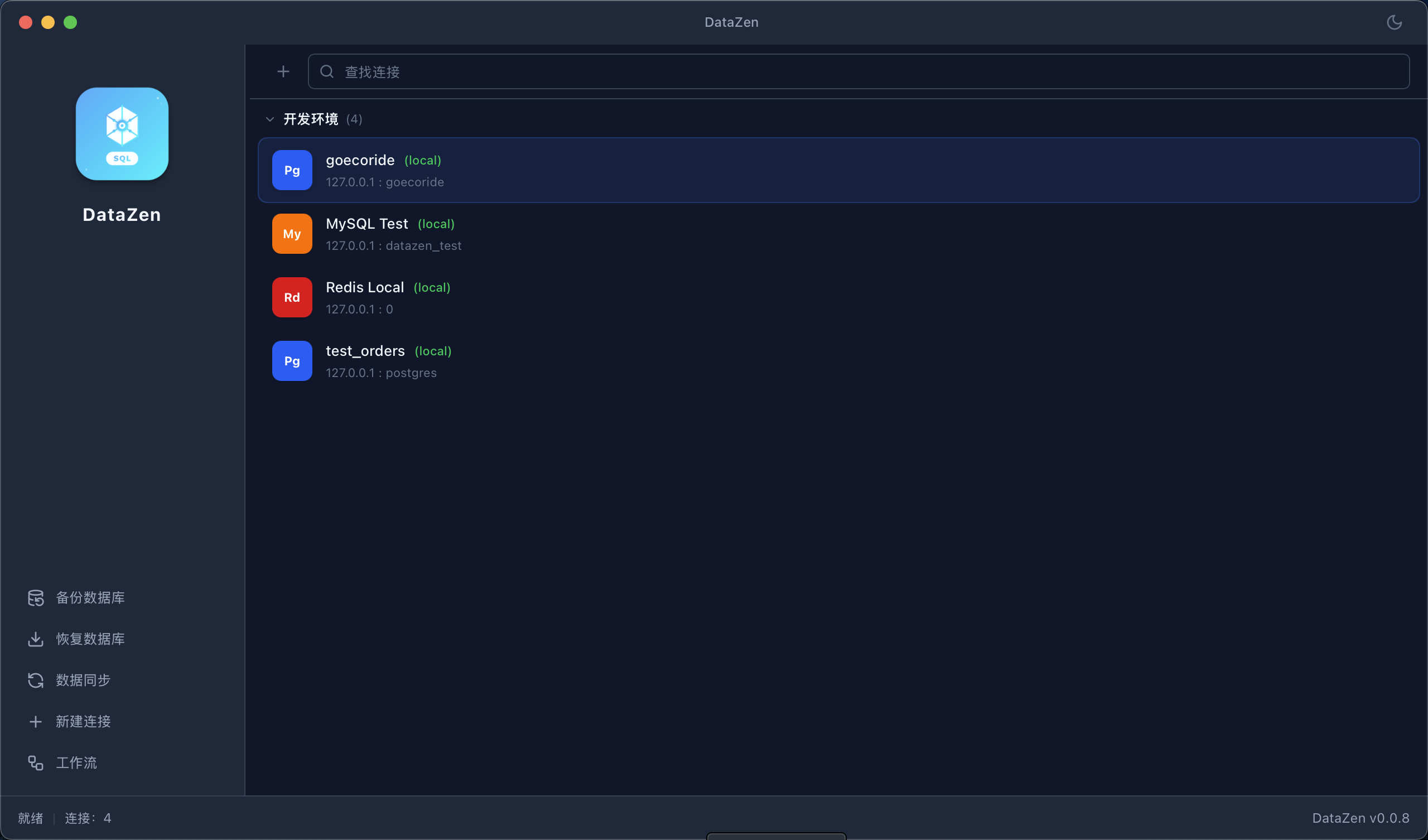
- On first launch you land on the Welcome page — create your first connection or import connections from TablePlus, Navicat, DataGrip, DBeaver, DBX, or a DataZen export.
xattr -cr /Applications/DataZen.app, or right-click the
app and choose Open once.
2. Interface Tour
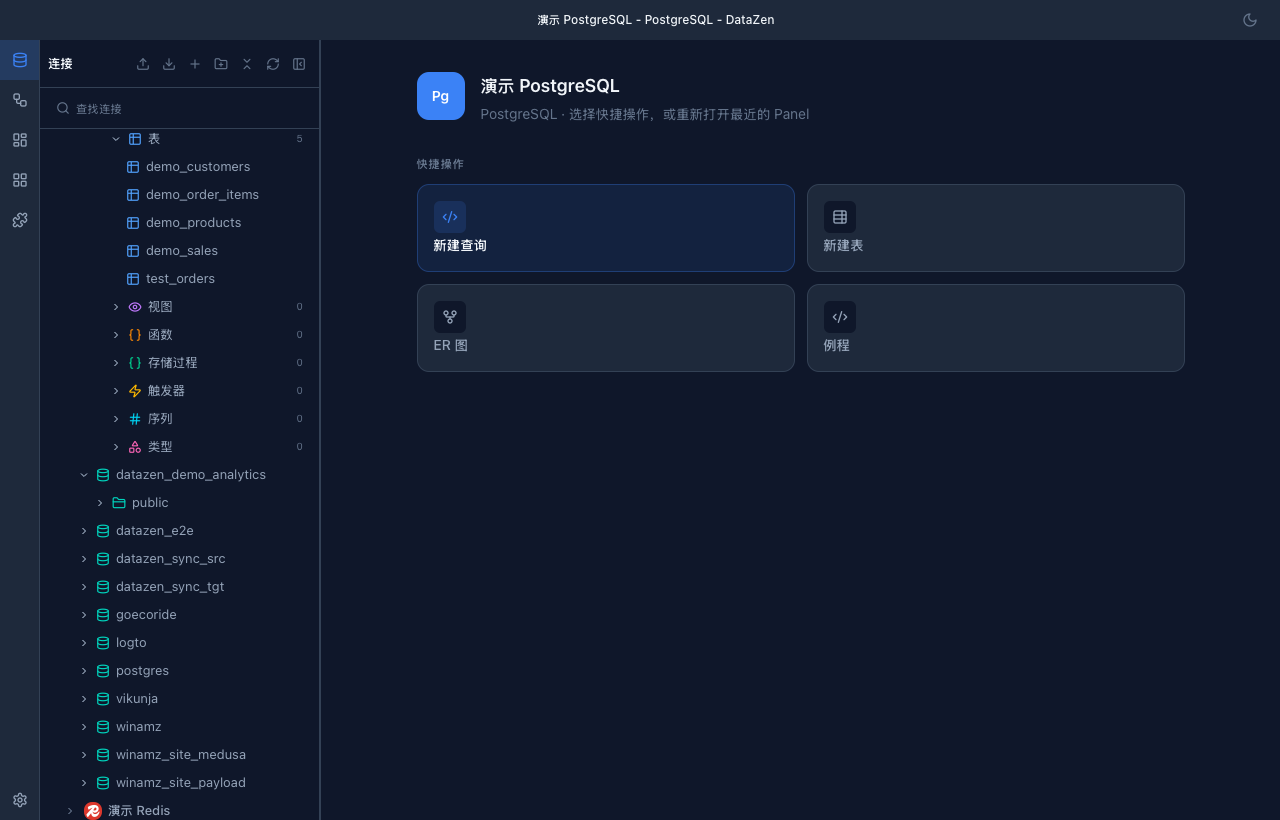
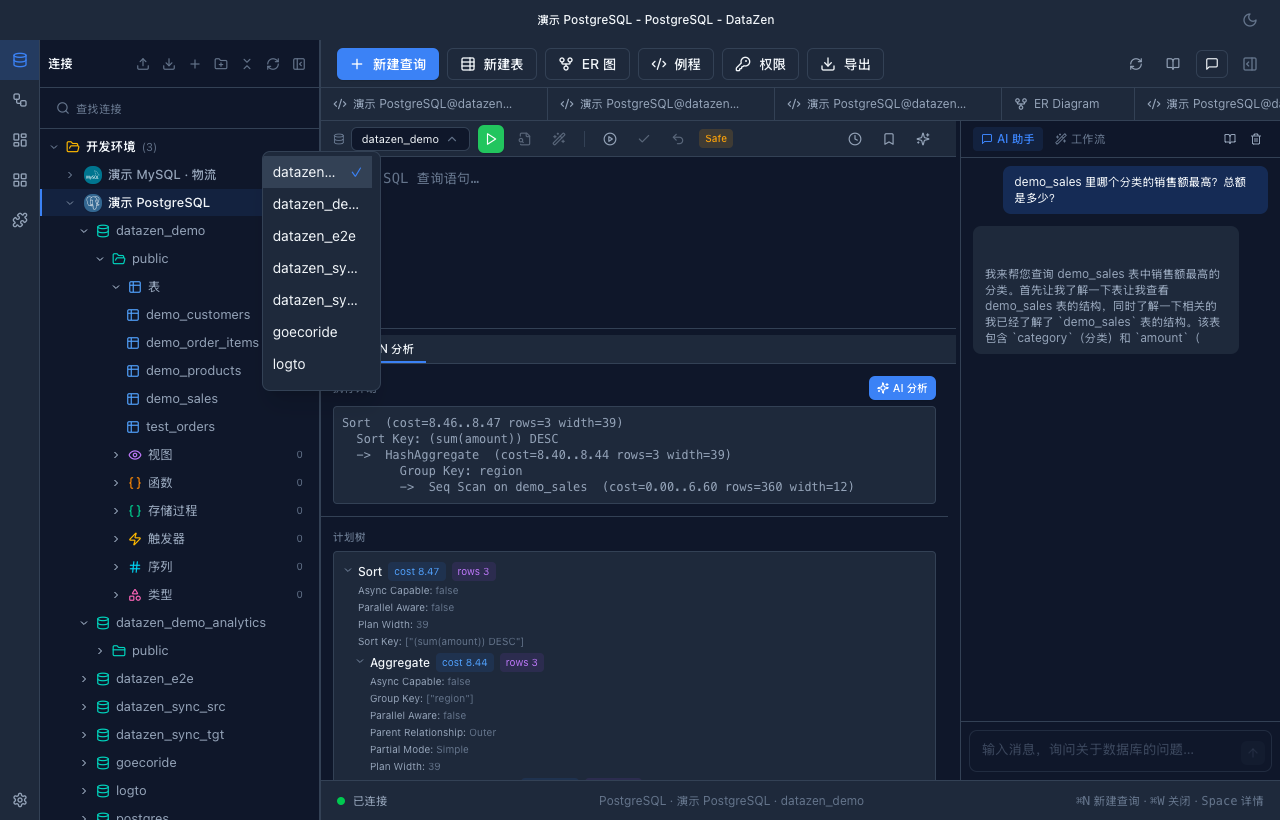
Main workspace: connection tree + tabs + AI sidebar
- Left rail: Connections, Workflows, Dashboards, Workspace (plugin pages), Plugins; Settings is pinned at the bottom.
- Main area: connection tree + tabbed query editor. Settings and the new-connection dialog open inside the main window.
- Menu bar: File (New Connection, Data Sync, Schema Diff, Workflow, Backup…), View (themes, full screen), Tools (logs, app data / connection import & export), Help (user guide).
- Sub-windows: Backup Database, Data Sync, Data Transfer and Schema Diff run in dedicated OS windows.
3. Connections
Create a connection
- Open Connections from the left rail and click New Connection (or File → New Connection).
- Pick the database type from the searchable list; drivers not included in your build are marked "Planned".
- Fill the variant-specific form: server types ask for host / port / user / password / database; file types (SQLite) ask for the database file; Redis asks for a password and database index.
- Open Advanced Settings: SSL mode (Disabled / Preferred / Required), read-only connection (rejects INSERT / UPDATE / DELETE and DDL), color tag, and group.
- Enable "Connect via SSH Tunnel" when needed: password / private key / SSH agent authentication, plus jump-host support.
- Click Test Connection, then save.
Supported databases
PostgreSQL, MySQL / MariaDB, SQLite and Redis ship by default; MongoDB, ClickHouse, DuckDB, SQL Server and more are compile-time optional drivers. See the databases page for the full list.
4. SQL Editor & Queries
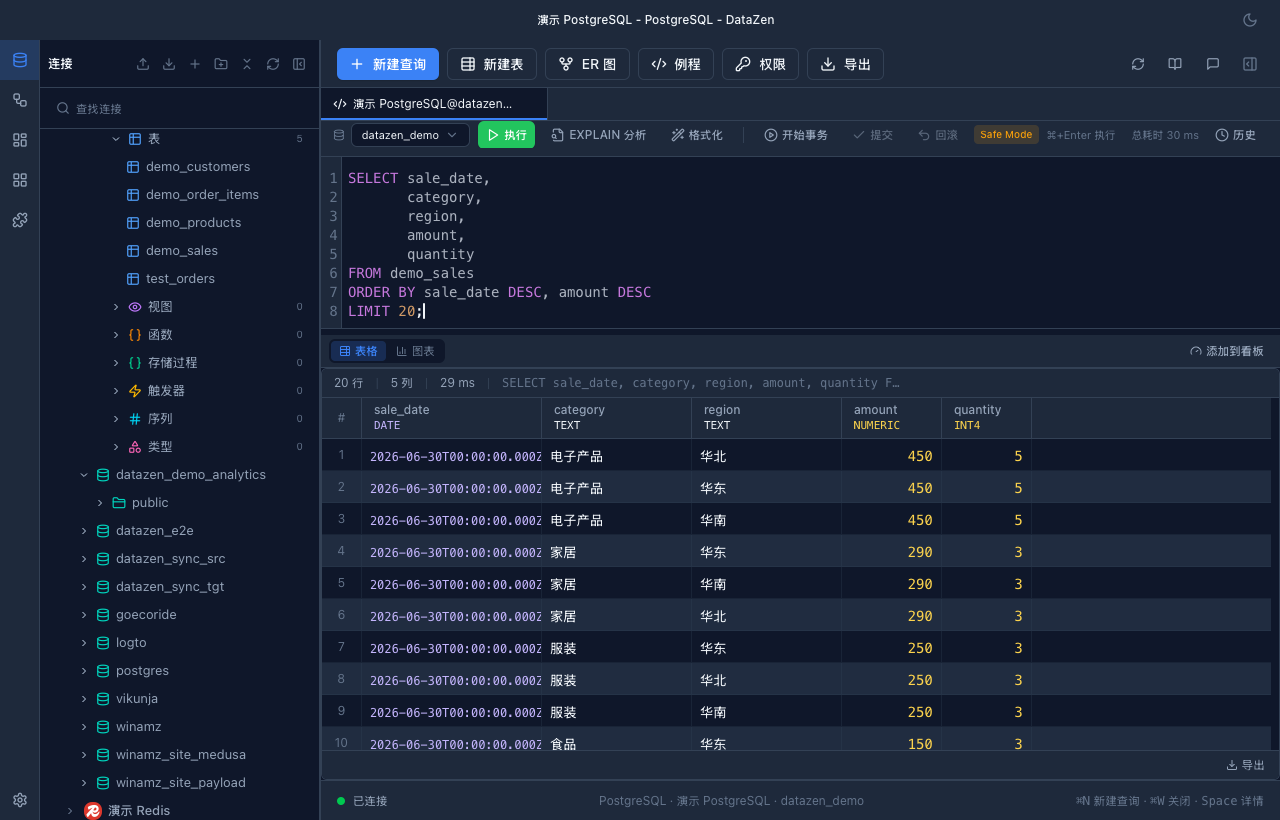
- Smart completion: tables and columns from the live schema plus driver-provided function completions; press Tab to accept.
- Execution: ⌘/Ctrl + Enter runs the script; select text to run only the selection. The Execute button becomes Stop while running.
- Multiple results: each statement gets its own Result tab, with total time and streaming row counts.
- EXPLAIN (driver-dependent): plan tree plus AI analysis with bottlenecks and optimization suggestions.
- Toolbar: Format, Begin / Commit / Rollback with open-transaction reminders, Safe Mode toggle (blocks UPDATE/DELETE without WHERE and TRUNCATE/DROP), bind parameters, searchable query history, and favorites.
- Execute SQL file: run a .sql file against a target database with a destructive-content confirmation.
5. Data Browsing & Editing
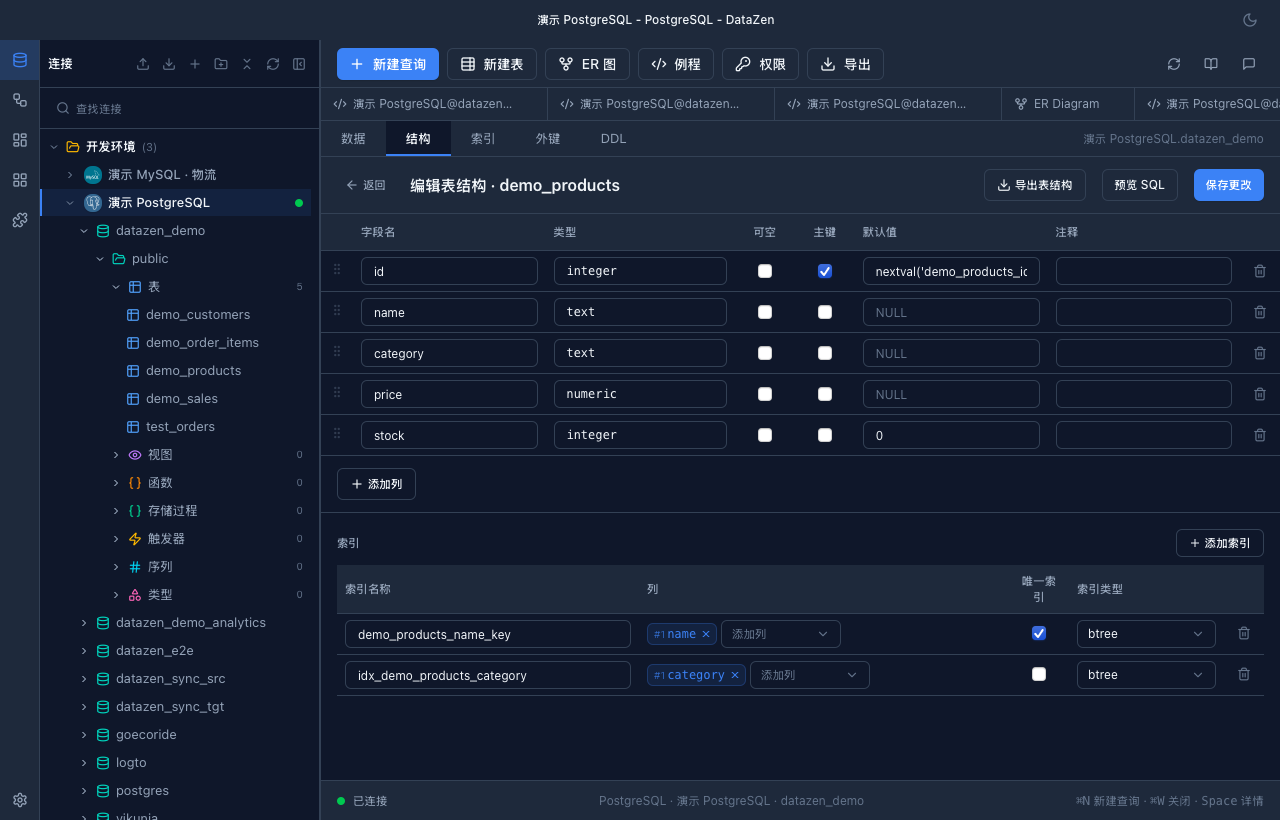
- Browse: click a table to open the virtualized grid with sorting, pagination and column resizing.
- Filter: the filter builder supports = ≠ > < ≥ ≤ contains / in / IS NULL with AND / OR logic; or type plain language into the AI Smart Filter (e.g. "age > 18 and name contains John").
- Edit: double-click a cell to edit (values coerce to the column type; empty string commits NULL). Editing and row deletion require a primary key. Press Space for the detail panel with BLOB preview.
- Copy: right-click to copy a cell / row, or copy as JSON / CSV / SQL INSERT / UPDATE.
- Export: CSV, TSV, JSON, Markdown, Excel (XLSX), SQL INSERT / UPDATE — current page, selected rows, or a streamed full-table export. Batch export handles many tables as data + structure, single file or ZIP.
- Import: CSV / JSON / XLSX into a target table with a parse preview.
6. Objects & ER Diagram
- Object tree: browse databases, schemas, tables, views, functions, procedures, triggers and sequences. Context menus expose admin commands (create database / schema / user, grant) based on driver capabilities.
- DDL & structure: view object DDL; the structure editor manages columns, indexes and comments where the driver supports it.
- Privileges: the Privileges view lists and manages grants.
- ER diagram: auto-built from foreign keys, with search, fit-to-view, collapsible columns and PNG / SVG export.
- Server status: live trend charts and a process list with Kill (driver-dependent).
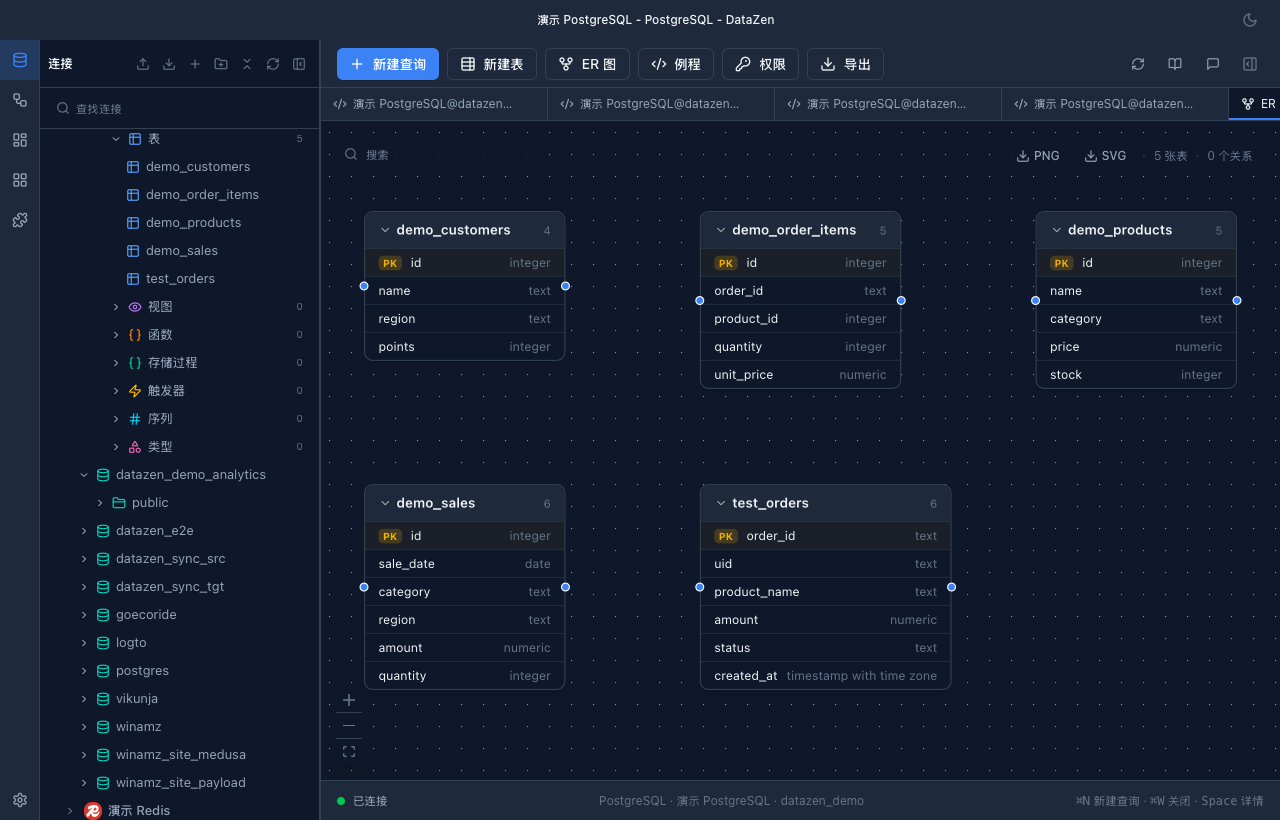
ER diagram with PNG / SVG export
7. Charts
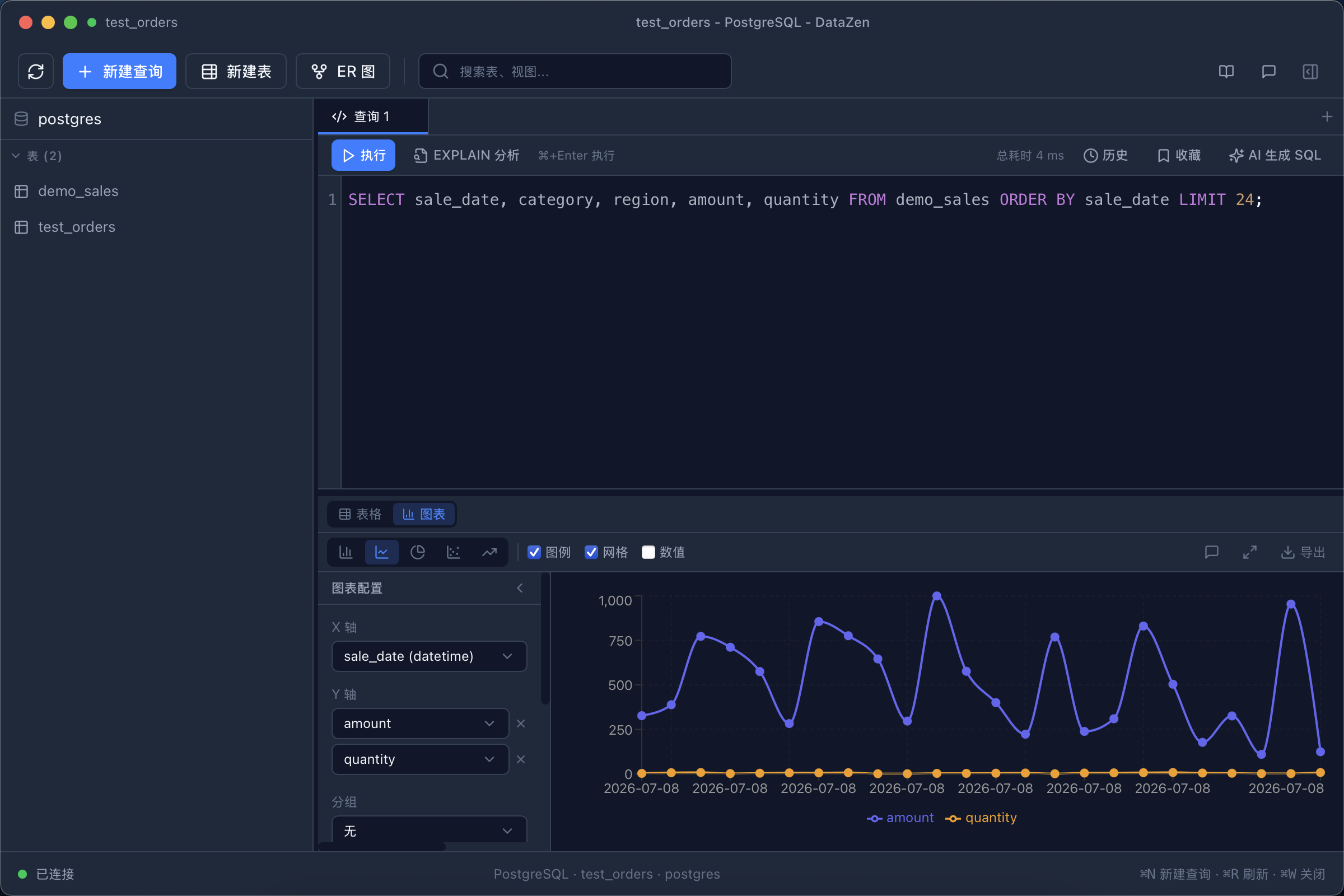
- After running a query, toggle Table ⇄ Chart in the result header (auto-switching can be enabled in Settings).
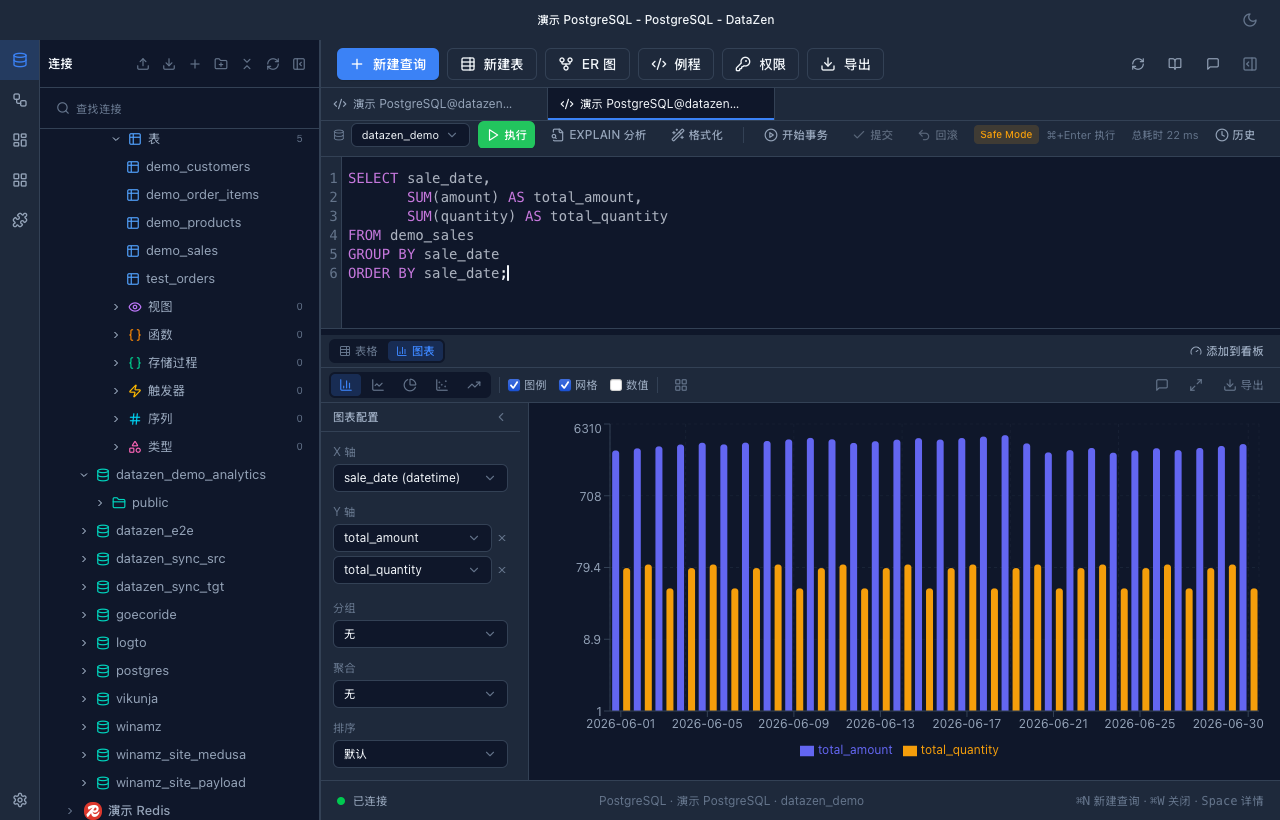
- DataZen recommends a chart type from the result shape — time series → line, low-cardinality categories → pie, category comparison → bar, two numeric columns → scatter — and explains why.
- The config panel controls chart type (line / bar / pie / scatter / area), X axis and multi-series Y axes, grouping, aggregation (sum / average / count / min / max), sorting, colors, legend and value labels. Natural-language commands work too (e.g. "switch to bar chart", "sort by X ascending").
- Export as PNG / SVG, or send the chart straight to a dashboard widget.
8. AI Assistant
Configure a provider
In Settings → AI Assistant pick a provider (OpenAI / DeepSeek / Ollama / custom
endpoint), protocol (OpenAI Chat Completions / OpenAI Responses / Anthropic Messages),
model and API key, then Validate and Save. The config is encrypted as
ai_config.enc and never logged. Until configured, the sidebar links you
to the settings page.
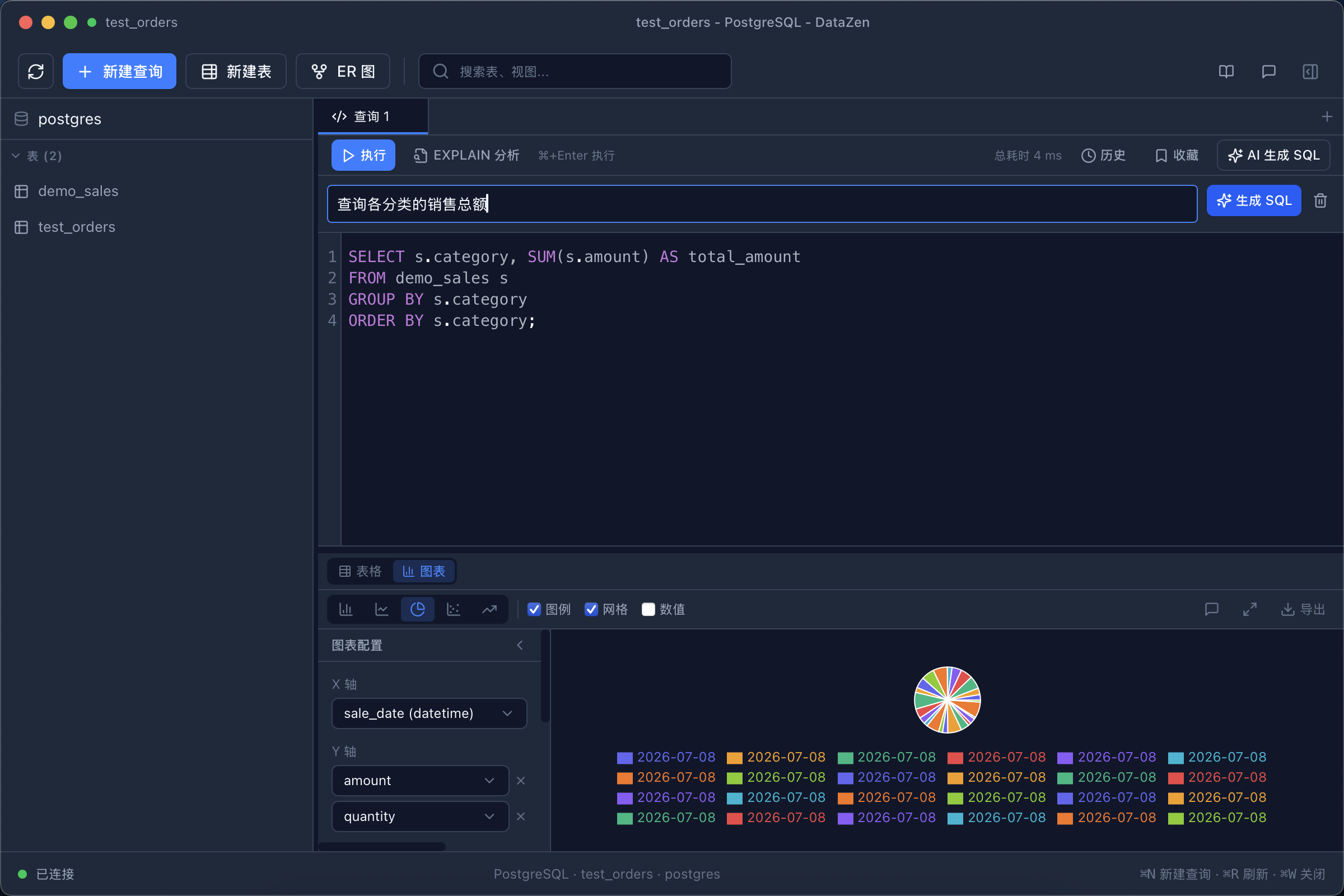
Natural language → SQL with live schema context
- NL2SQL: describe what you need, then apply, copy, or "Apply & Chart".
- Error diagnosis: one click explains a failed query and proposes fixed SQL.
- EXPLAIN analysis: interprets execution plans and flags bottlenecks.
-
AI Chat: type
@to attach context — tables from the active connection, or files from your AI Context directory (recent picks are remembered). SQL blocks in replies can be inserted into the editor; streaming and thinking output are supported and generation can be stopped. - Other touchpoints: smart grid filters, Data Sync diff explanation, Workflow AI generation.
9. Workflows
Workflows chain queries, AI analysis, conditions and loops into reusable YAML flows, runnable from the UI, the AI sidebar, or MCP.
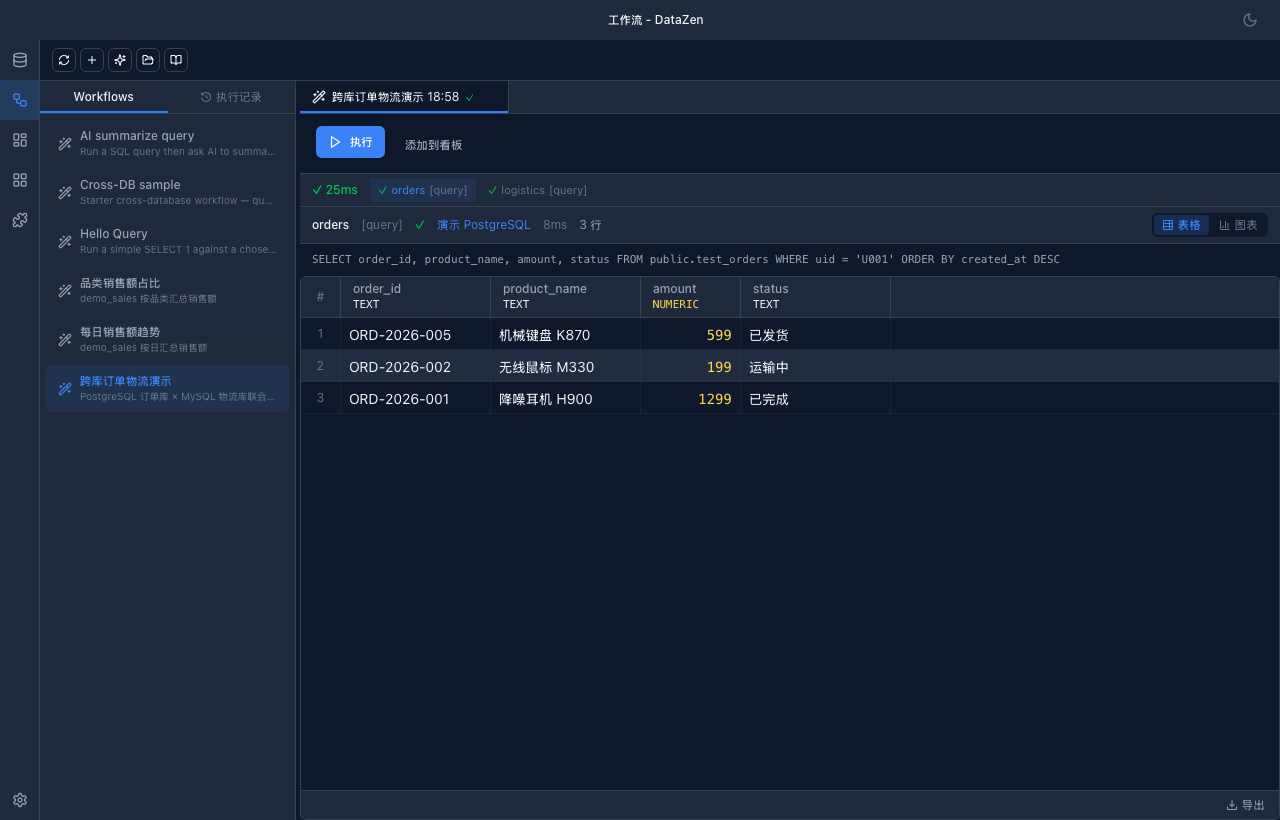
Create and run
- Open Workflows in the left rail, or the Workflow tab in a connection window's AI sidebar.
- The editor offers both a visual form and YAML; "AI Create" drafts a flow from a natural-language description.
-
Declare
variables(string / number / connection) as runtime inputs with defaults and required flags. - Run the flow: each step shows its result table, SQL and timing; history is kept for review.
id: daily-report
name: Daily report
description: Count today's orders and summarize with AI
variables:
  - name: date
    type: string
    required: true
steps:
  - type: query
    id: get_orders
    sql: "SELECT count(*) AS total FROM orders WHERE order_date = '{{date}}'"
  - type: ai
    id: summary
    prompt: "Today is {{current_date}}, orders: {{steps.get_orders.rows.0.total}}. Write a one-line report."
output:
template: "{{steps.summary.result}}"-
Step types:
query(SQL with{{...}}templates),ai,condition(if / then / else),foreach(loops, capped at 100 iterations by default). - Connection inheritance: a workflow-level default connection can be overridden per step — ideal for cross-database flows.
-
Error strategies:
abort(default) /skip/fallback, with step-level overrides and a global timeout (300 s default).
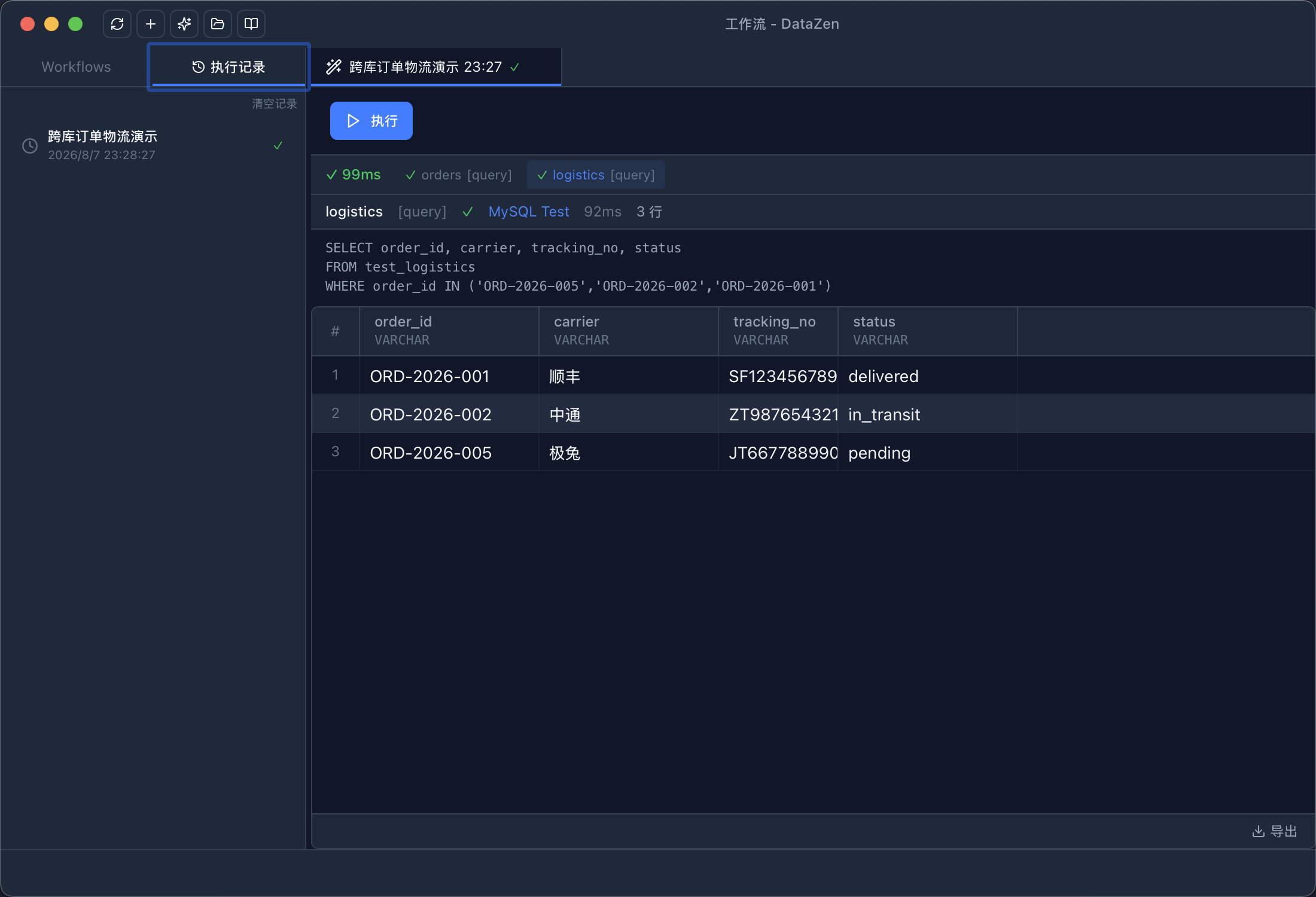
Cross-database flow: PostgreSQL orders + MySQL logistics + AI summary
Full syntax (template rules, condition expressions, troubleshooting) lives in the Workflow guide.
10. Ops Dashboard
The Ops Dashboard is a dedicated monitoring window: chart widgets bound to SQL are refreshed automatically by a background MonitorEngine, with threshold alerts pushed to desktop notifications or a webhook.
- Open Dashboards in the left rail → create or open a dashboard to enter the 12-column grid canvas.
- Add Widget: bind a saved connection, write the monitoring SQL, choose the chart, and set a refresh interval (minimum 30 seconds).
- Configure alerts: metric column + aggregation, operator, threshold, cooldown, and channels (desktop notification / webhook; email is reserved for later).
- The toolbar offers Refresh All, global Pause / Resume monitoring (mirrored in the tray), and dashboard import / export.
11. Sync · Transfer · Schema Diff
Three dedicated sub-windows — opened from File (Tools menu on macOS) or the connection / database context menu. Pick by scenario:
Structure mismatch / no PK / target table missing / cross-dialect  →  Schema Diff and/or Data Transfer
Structure aligned + same PK + same dialect family              →  Data Sync
When a target connection is read-only, every write path is disabled.
Data Sync
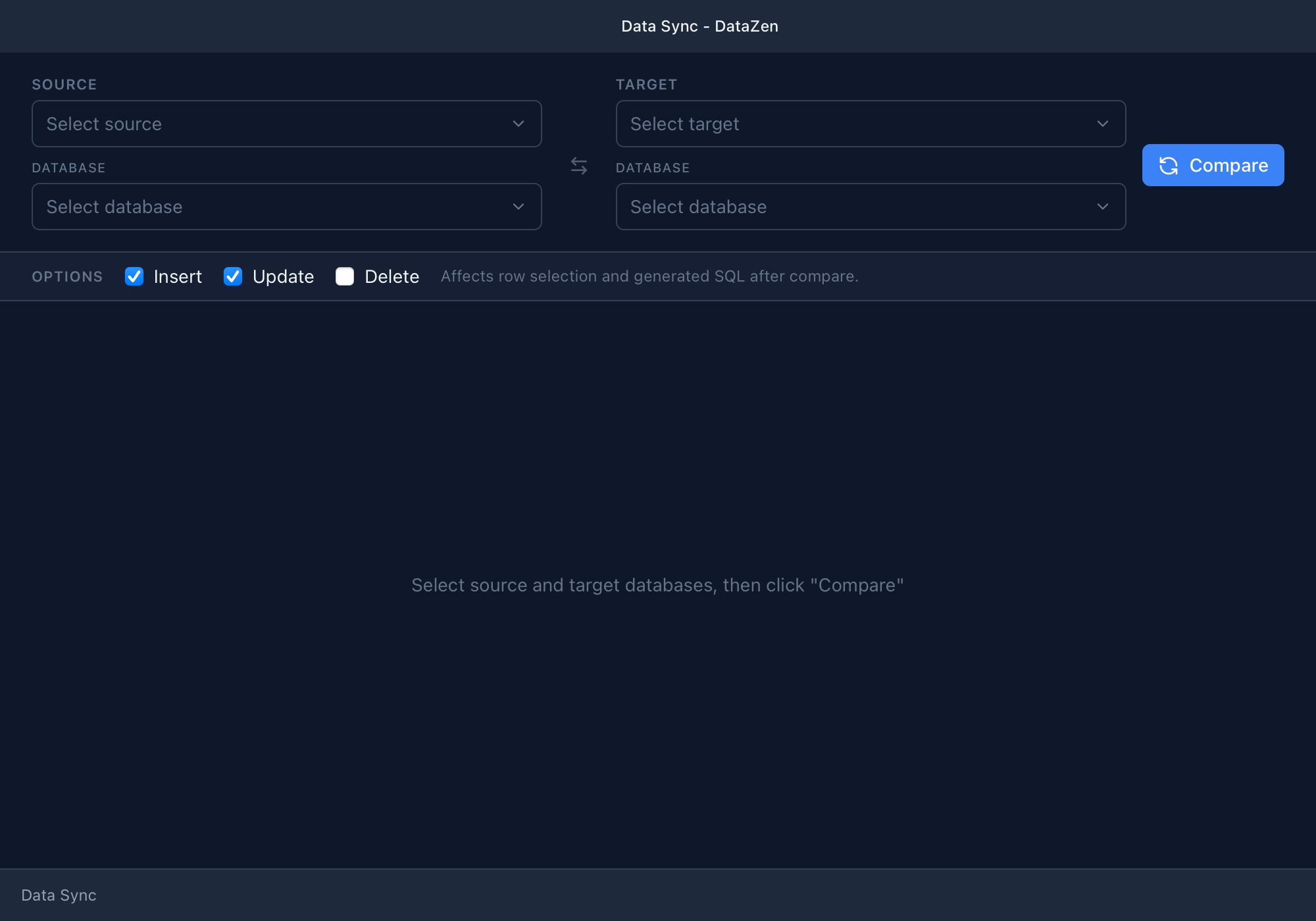
Data Sync — same-family row diff
Row-level sync within the same dialect family (MySQL↔MySQL, PG↔PG) when table structure and primary keys match exactly.
Flow: Select source/target + database → Compare → Review & check diffs → Preview SQL → Execute (DELETE off by default; enabling it requires double confirmation).
- Gates: same dialect family, identical columns/types/nullability, identical non-empty primary keys, target table must already exist.
- INCOMPATIBLE tables offer a one-click jump to Schema Diff; heterogeneous target pairs are marked unsupported with a hint to use Transfer.
Data Transfer
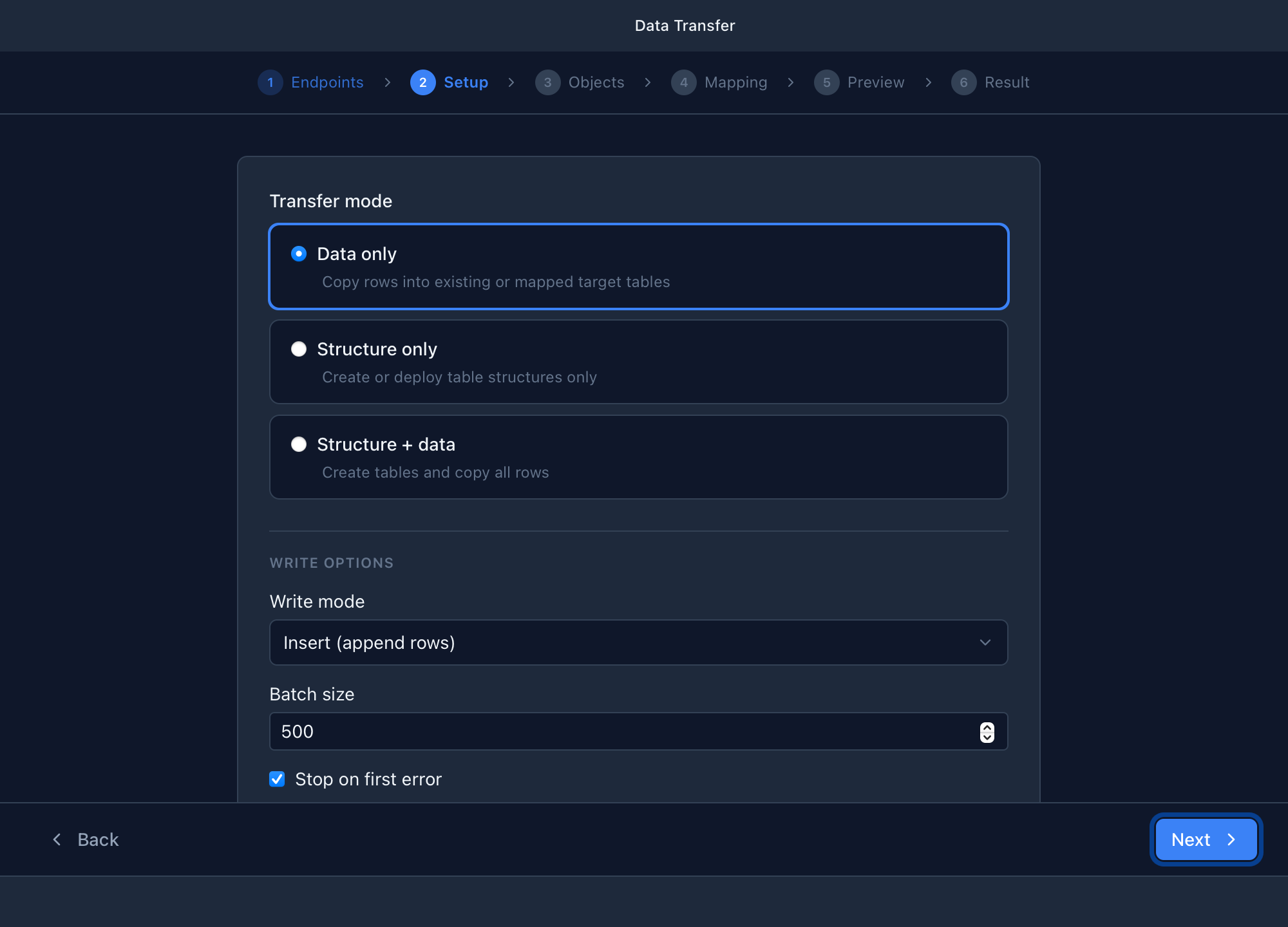
Data Transfer — cross-dialect migration
One-way copy between heterogeneous databases (e.g. MySQL → PostgreSQL), or when structure differs / the target table must be created.
Flow: Six-step wizard — Endpoints → Setup (mode + write options) → Objects → Mapping → Preview (editable DDL) → Result.
- First open shows a limitations dialog (no views/triggers/FK migration; destructive write modes need explicit confirmation).
-
Endpoints show
direct/ir/unsupportedpairing paths.
Schema Diff
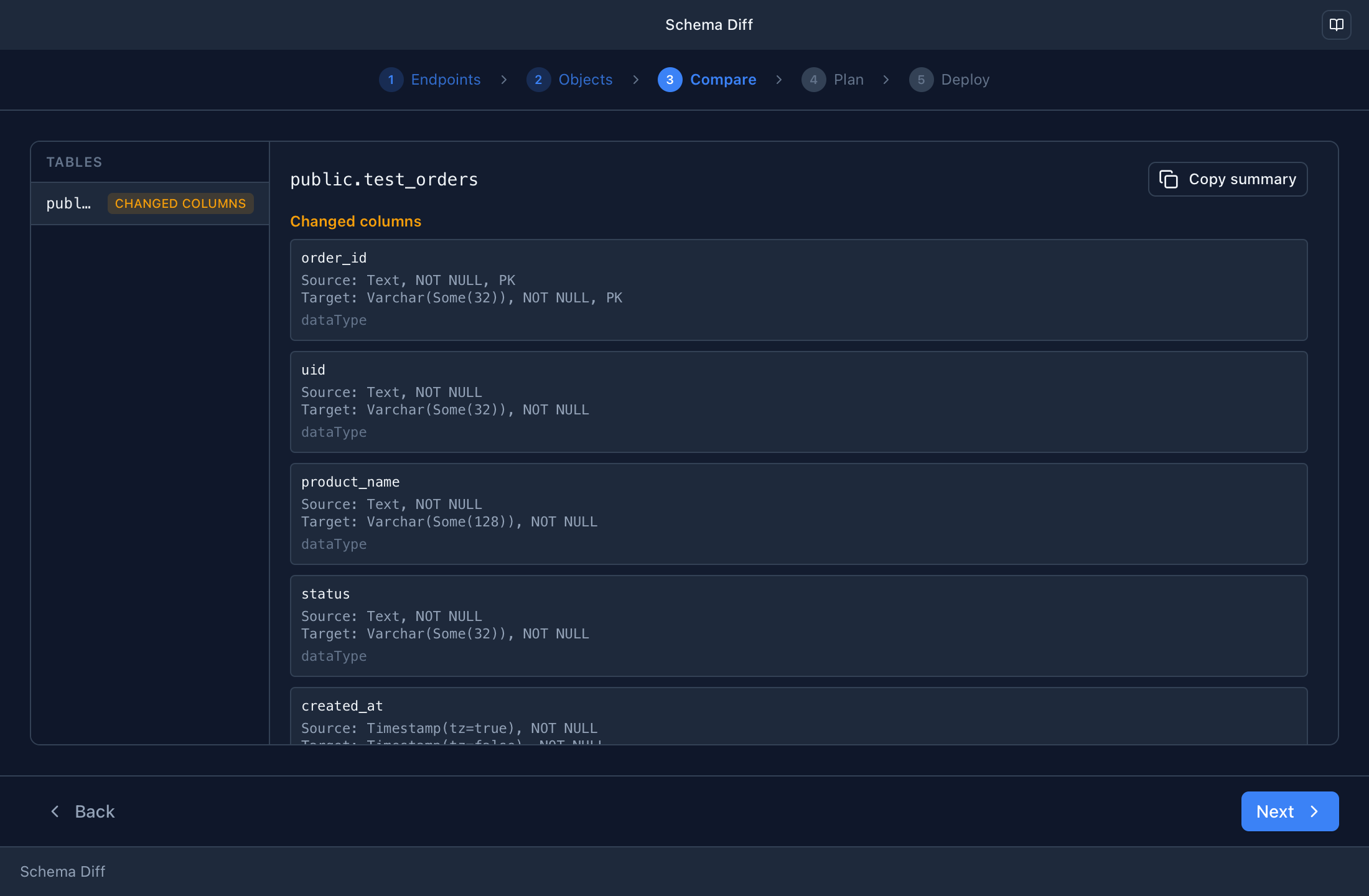
Schema Diff — structure compare & deploy
Treat the source structure as the desired state and deploy controlled DDL to the target (no row data copy).
Flow: Five-step wizard — Endpoints → Objects (pick tables) → Compare
→ Plan → Deploy. Additive-only by default; destructive statements require a checkbox
plus typing DEPLOY.
-
Runs transactionally on PostgreSQL / SQLite (auto-rollback on failure); MySQL
commits statement-by-statement, so partial success is reported as
mixed.
12. Redis Tools
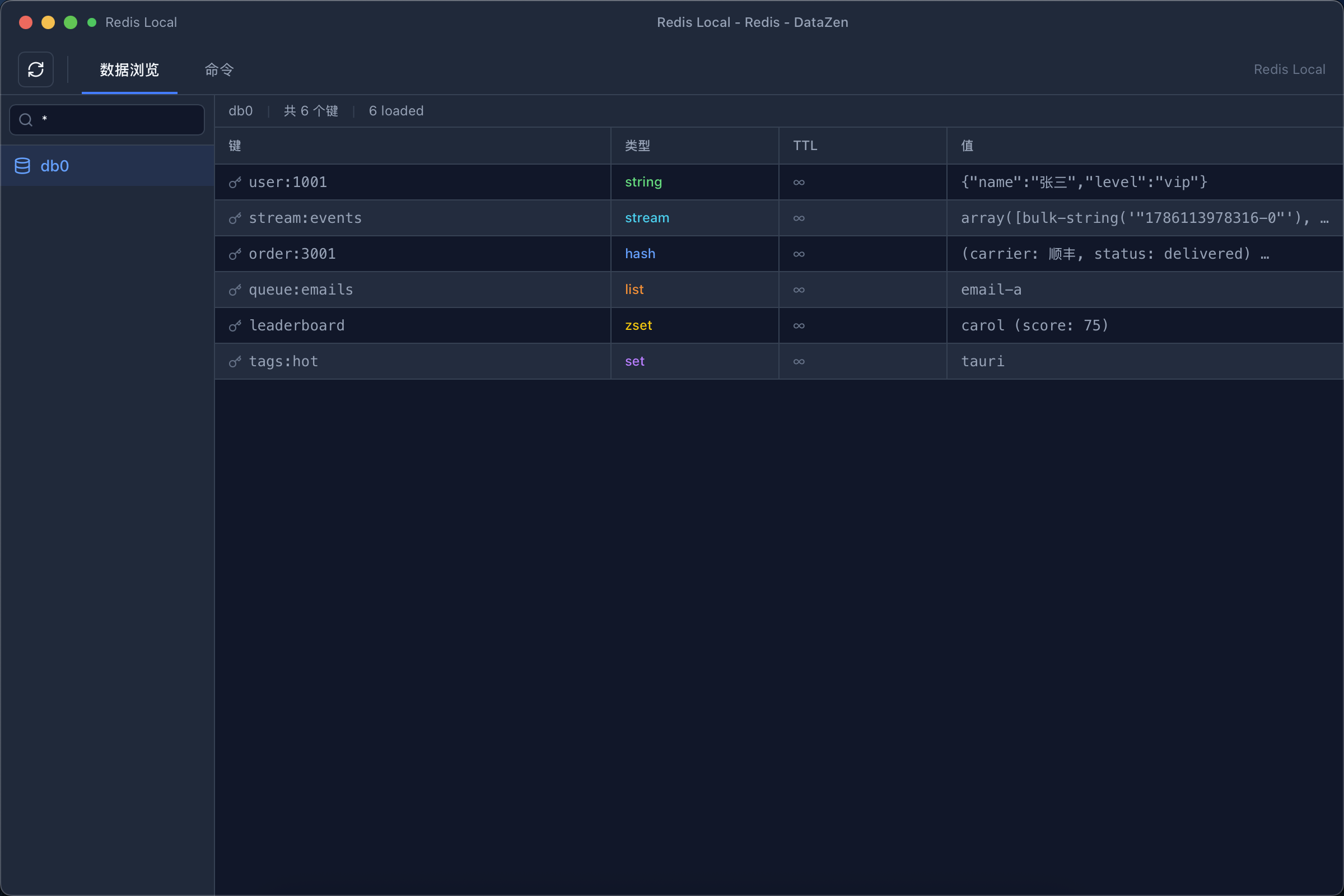
- Key browser: scan keys by pattern, inspect TTL and typed values (String / Hash / List / Set / ZSet / Stream), edit and delete.
- Command console: run Redis commands directly.
- Monitor: live command stream.
- Pub/Sub: subscribe to channels and watch messages arrive.
The connection form supports database index selection and TLS; the deep operations are provided by the built-in Redis driver.
13. Backup & Restore
- Database backup / restore window (File menu): pick a connection and database, adjust the file-name pattern, add dialect-specific dump options, optionally compress with Gzip, and start. Progress is shown per stage with a copyable execution log. Restore mode replays a backup file and asks for destructive-overwrite confirmation when the target already contains objects.
- App-data archive (Tools menu): Export / Import App Data bundles connections, workflows and history into a ZIP for moving machines. The encryption master key is excluded by design; the wizard warns explicitly and offers a separate key backup.
14. Plugins & Themes
- Install: Plugins page → Install Plugin… → choose a .zip package; the wizard verifies it and lists requested permissions before installing.
- Manage: enable / disable / uninstall per plugin (uninstalling permanently deletes its local storage). Incompatible API versions show a badge.
- Workspace pages: enabled plugin pages appear under Workspace and run in a sandboxed iframe that can only reach the database through the controlled bridge.
- Themes: plugins can contribute themes; after installation they appear as cards in Settings → Appearance with light / dark / system badges.
15. Settings Reference
| Section | Contents |
|---|---|
| General | Language, theme, updates, default page size, pool size, monitoring, history cleanup |
| Appearance | Theme cards contributed by plugins |
| Data Browsing | Page size, SELECT result limit, auto chart switch, max returned rows |
| Editor | Font size and family |
| Behavior | Confirm on delete, auto commit, Safe Mode |
| Logging | Log level and path, view logs (restart required after changes) |
| AI Assistant | Provider / protocol / model / key / validation |
| Prompt Management | Per-driver or global prompt overrides, reset to default |
| MCP Server | Enable MCP, tool toggles, permission mode (read-only / safe write / high-risk write), allowlist, ready-to-paste Cursor & Claude Desktop configs |
| External MCP Servers | Add external MCP servers (name / command / args) for use in AI Chat |
| Extensions | Settings exposed by built-in plugin extensions |
16. Security & Privacy
-
Credentials are encrypted with AES-256-GCM; the master key lives in the OS keychain
(dev builds may use a local
.keyfile). -
AI configuration is encrypted separately (
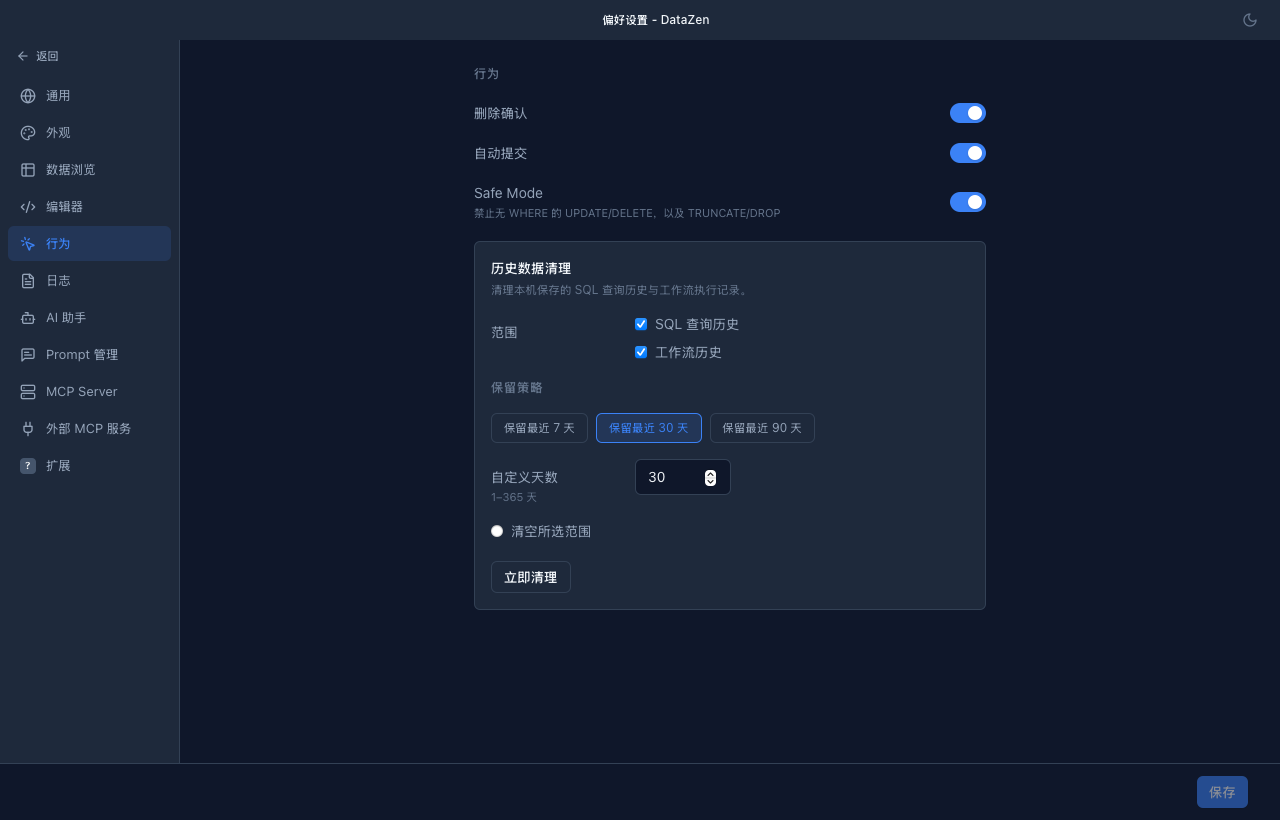
ai_config.enc); requests go only to the provider you configure — no DataZen cloud in between. - Safe Mode blocks UPDATE/DELETE without WHERE and TRUNCATE/DROP; read-only connections reject writes at the driver level.
- The MCP Server exposes read-only / safe-write / high-risk-write permission modes with a connection allowlist.
- Dangerous actions (row deletion, destructive deploy, overwrite restore) always ask for confirmation.
17. Keyboard Shortcuts
| Shortcut | Action |
|---|---|
| ⌘/Ctrl + N | New query tab |
| ⌘/Ctrl + W | Close active tab |
| ⌘/Ctrl + Enter | Execute SQL (selection only if text selected) |
| Enter / Shift + Enter | Send / newline in AI input |
| Space | Toggle row detail panel |
| Delete | Delete selected rows (confirmed, PK required) |
| @ | Open AI context picker (Esc closes) |
18. Troubleshooting
| Symptom | Fix |
|---|---|
| macOS says the app is damaged / unverified |
Run xattr -cr /Applications/DataZen.app — see the packaging doc
|
| A database type shows "Planned" | That driver is not in your build; download an all-drivers package or build from source (see optional-drivers doc) |
| Editing rows reports noPrimaryKey | The table has no primary key, so rows cannot be addressed; add one or edit via SQL |
| No EXPLAIN button | The current driver does not expose execution plans |
| AI not responding | Validate the key/endpoint in Settings → AI Assistant; ensure a local Ollama is running if used |
| Dashboard widget stuck in error | Its bound connection ID is stale or the SQL fails — rebind and test the SQL in a query window |
| Where are the logs? | Tools → View Logs; files live under logs/ in the app-data directory |
| Updating | Settings → General → Check for updates, or grab the latest GitHub Release |
More resources: feature guides in the repo · issue tracker